In the McAfee Online Backup backup software for Windows, the History tab
on the Settings window shows attempts to back up or restore files, and whether
the attempt was successful or had errors.
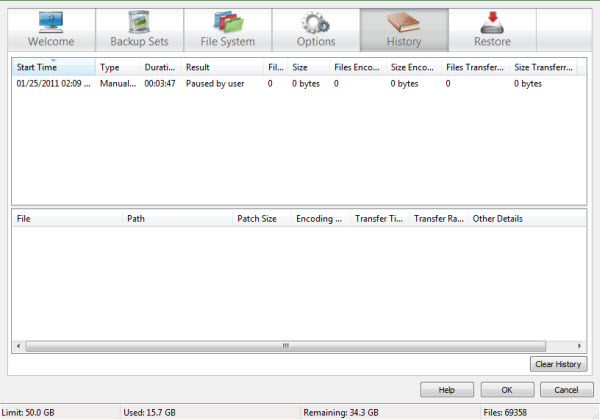
You can review specific error messages for more details, and if necessary you may request assistance.
The History tab is useful for identifying files which are no longer being backed up. Files which were either deleted from the computer or deselected from backing up are shown as removed but restorable from the McAfee cloud during a grace period.
-
Choose one of the following options:
- (Windows 8) On the Start screen, click the McAfee Online Backup Settings tile.
- (Windows 7 or earlier)
Right-click the McAfee Online Backup icon
 in the notification area, then select
.
For more information, see
Open the Backup Software on Windows through the Notification Area.
in the notification area, then select
.
For more information, see
Open the Backup Software on Windows through the Notification Area.